Security on a Small Circular Screen
Galaxy Watch offers PIN and pattern lock screens for privacy and for features such as Samsung Pay. The security requirement made the quality of the unlock experience especially important: if entry felt too difficult, users could avoid both the lock screen and the services that depended on it.

A Keypad That Did Not Fit the Hardware
Usage data showed that pattern unlock was far more common than PIN entry, even though Samsung Pay required a PIN. The existing keypad copied a phone pattern onto a much smaller display, creating tiny, crowded targets that demanded too much focus and were especially difficult with gloves.

Turning the Bezel Into a Combination Lock
The physical bezel produces tactile clicks as it rotates. I explored using those clicks like a combination lock, allowing a user to enter directional passcodes without relying on tiny on-screen buttons. The idea could also extend to a virtual bezel with haptic feedback.

Three Ways to Enter a PIN
Numbers are arranged around the circular display to match the watch hardware. Users can rotate the physical bezel, swipe a virtual bezel, or tap the number directly. Each method uses the same spatial model, keeping the interaction predictable across devices and preferences.

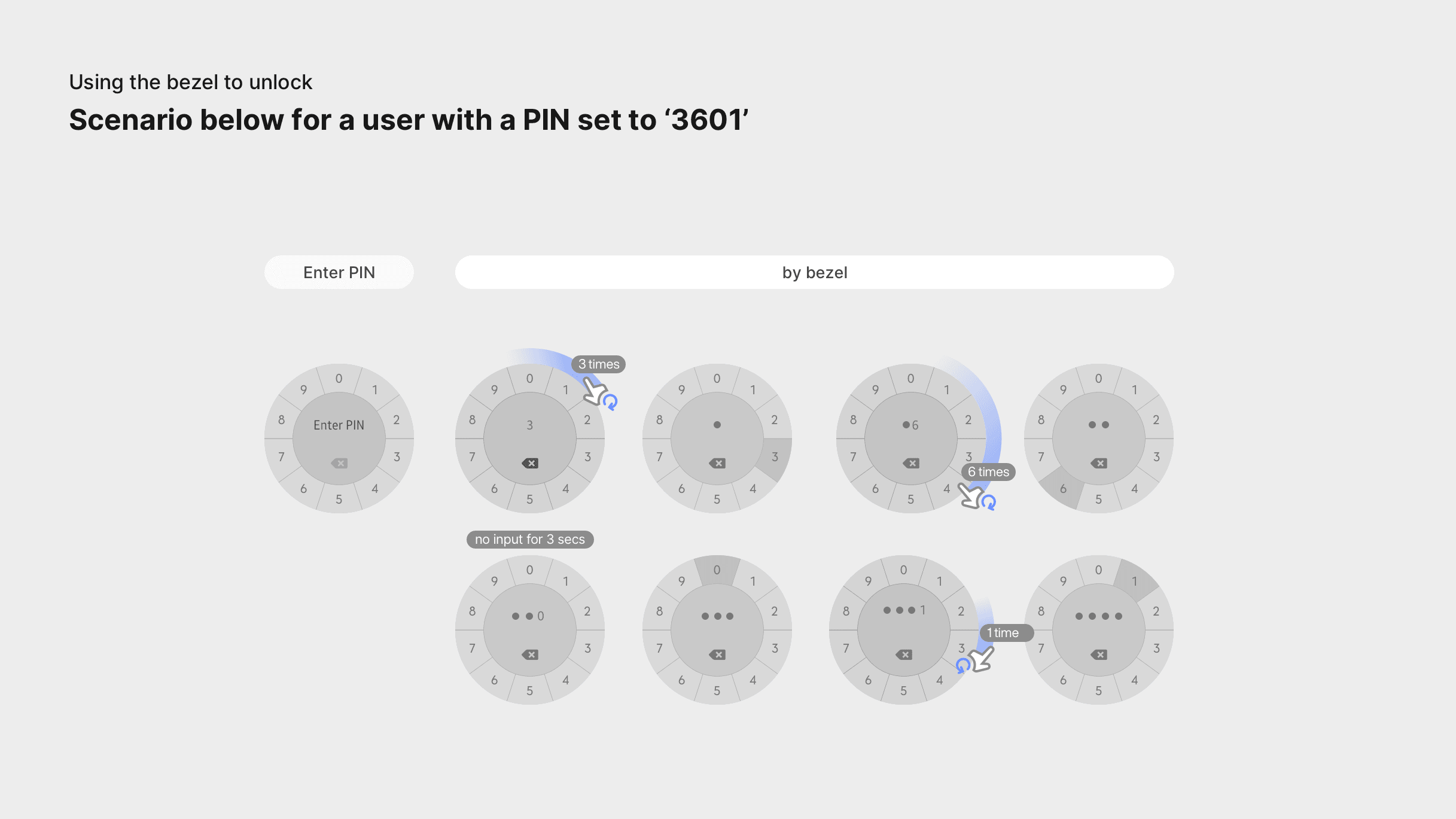
Mixing Input Methods in One Flow
A user can complete a passcode with any combination of rotation, swiping, and tapping. The scenario demonstrates how the same four-digit PIN can be entered fluidly while preserving clear feedback after each selection.
Supporting PIN and Pattern Preferences
The final interaction family preserves both PIN and pattern methods while improving their fit for a round watch. Larger targets, circular movement, and multiple input options make secure entry more adaptable to different motor needs and contexts.

Next projects.
(2016-
26©
)

